
See which skills, agents and tools your AI actually runs
Every session laid out: what ran, how many tokens it took, and what to fix
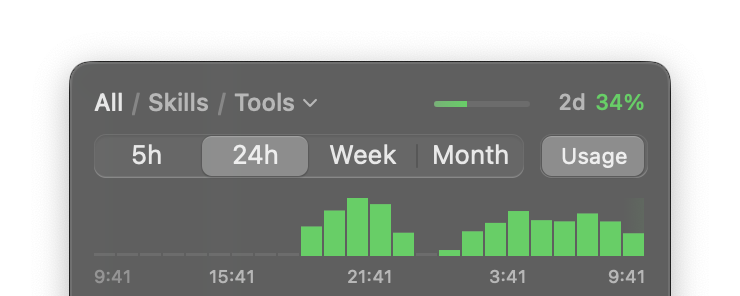
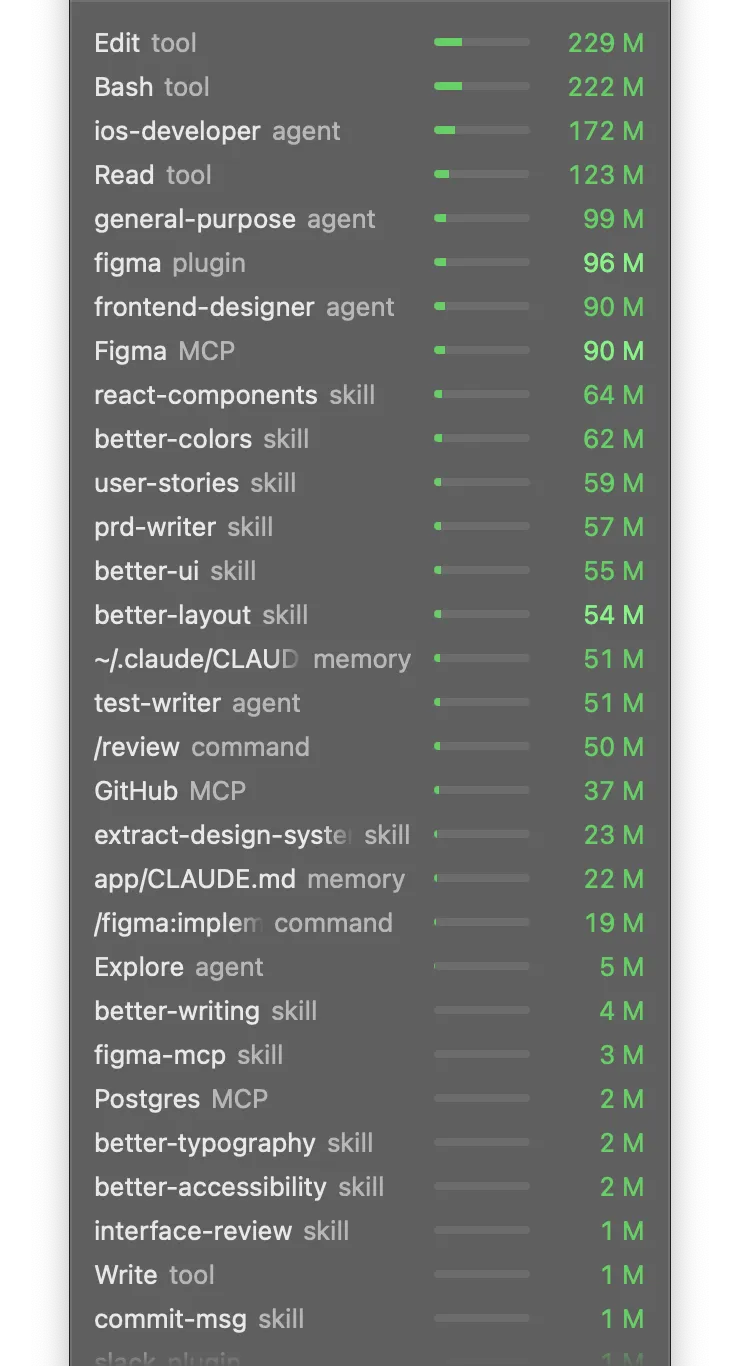
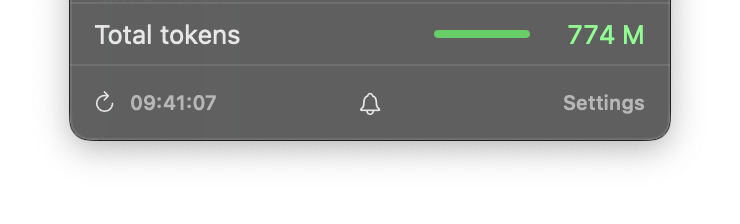
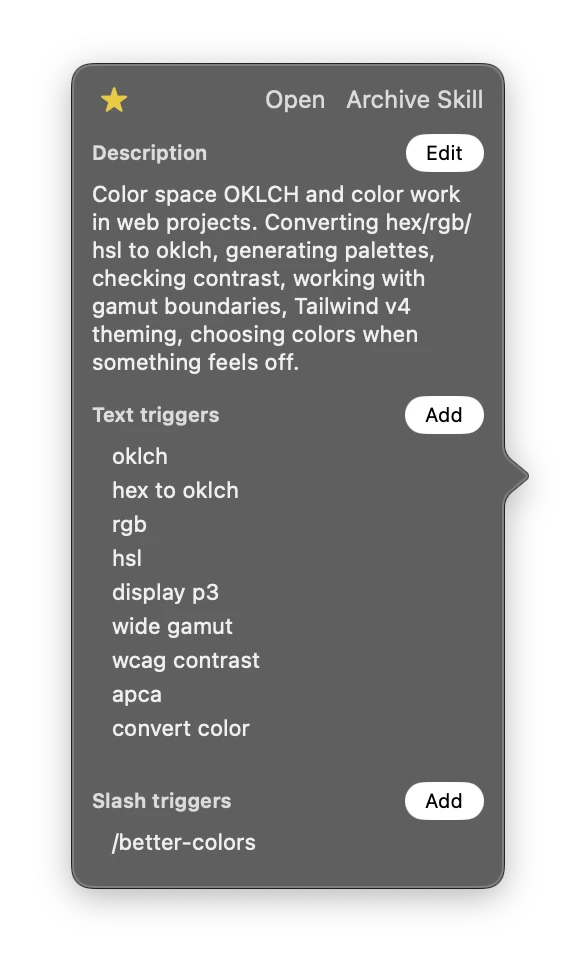
- See at a glance
The menu bar bolt turns yellow when one of the sessions gets expensive
- Click to open
Jumps from an expensive-session alert to that session in your CLI or IDE
- Watch it count
Each run adds +1 next to the skill, as it happens
- Right-click to copy
Drop it into the chat to run the skill right now – works for every skill
Master your power
See and use your whole AI setup
Every skill, agent and directive: cost, links, and one click to call it directly in a chat
How everything is wired
Click an agent to see which skills it loads and which it actually ran
Come back when it's your turn
Notification Center: a chat that waits, a chat to compact, skills to pause
Spot heavy usage
Hover a row to see its share of your tokens
Track sessions over time
Opens on the past month, already counted – switch to 5 hours, a day or a week
Pause and switch
Pause one of two clashing skills, try the other, swap whenever you like
Discover and install skills
Search the skills.sh store from the same field, install in one click
Pin it next to your work
Drag the panel down – it floats above your editor until you close it
Free to start. Yours after one payment
Signed and notarized by Apple
Free
$0/ month
Free forever – every feature open for the first 3 days
License
$19/ one time
Includes every future update
Watch
- Skills, agents, tools, MCP, hooks and memorySkills, agents, tools, MCP, hooks and memory
- Last 5 hours and 24 hoursLast 5 hours, 24 hours, week and month
- 5-hour and weekly limits in the header5-hour and weekly limits in the header
- Bolt turns yellow when a session gets expensiveBolt turns yellow when a session gets expensive
- Search your skills and skills.shSearch your skills and skills.sh
- Open an expensive session in chat in one click
- Notifications for heavy starts, slow hooks and expiring cache
- Cloud sessions next to your local ones
Watch
FreeLicense- Skills, agents, tools, MCP, hooks and memory
- Last 5 hours and 24 hours
- Week and month history
- 5-hour and weekly limits in the header
- Bolt turns yellow when a session gets expensive
- Search your skills and skills.sh
- Open an expensive session in chat in one click
- Notifications for heavy starts, slow hooks and expiring cache
- Cloud sessions next to your local ones
Tune
- Warnings for duplicate triggers and over-limit descriptionsWarnings for duplicate triggers and over-limit descriptions
- Restore skills from the archiveArchive unused skills, restore anytime
- Open SKILL.md in your editorOpen SKILL.md in your editor
- Edit triggers and descriptions in place
- Copy a slash command in one click
- Install skills from skills.sh
Tune
FreeLicense- Warnings for duplicate triggers and over-limit descriptions
- Restore skills from the archive
- Archive unused skills
- Open SKILL.md in your editor
- Edit triggers and descriptions in place
- Copy a slash command in one click
- Install skills from skills.sh
Save tokens
- Resume a paused skillPause and resume any skill
- Auto-pause skills you stopped using
- Stop a running LoopRun any skill as a Loop
Save tokens
FreeLicense- Resume a paused skill
- Pause any skill by hand
- Auto-pause skills you stopped using
- Stop a running Loop
- Run any skill as a Loop
Included
- Mac app and Claude Code modOne key for the Mac app and the Claude Code mod
- Up to 2 Macs
- Every future update
Included
FreeLicense- Mac app and Claude Code mod
- One key for the app and the mod
- Up to 2 Macs
- Every future update
Quick answers
See it on your AI setup
Free tracking. No account. No limit