SkillKeeper
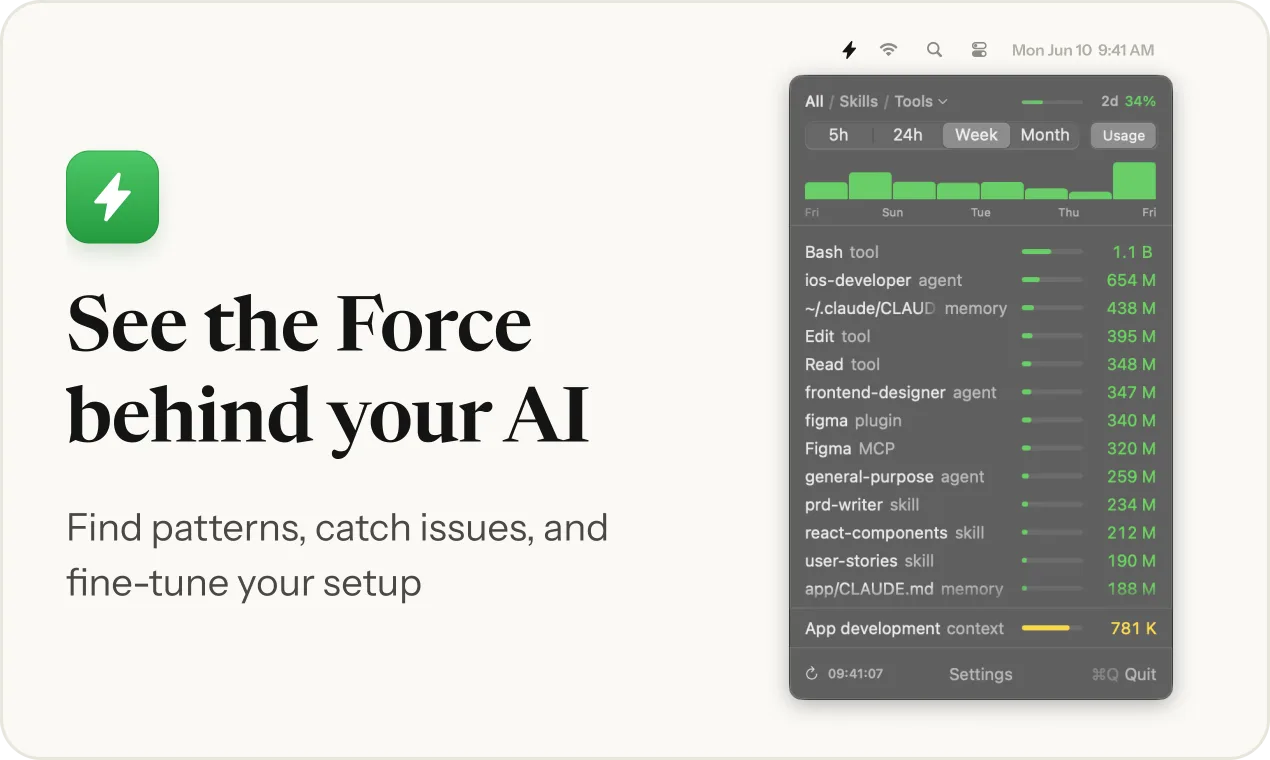
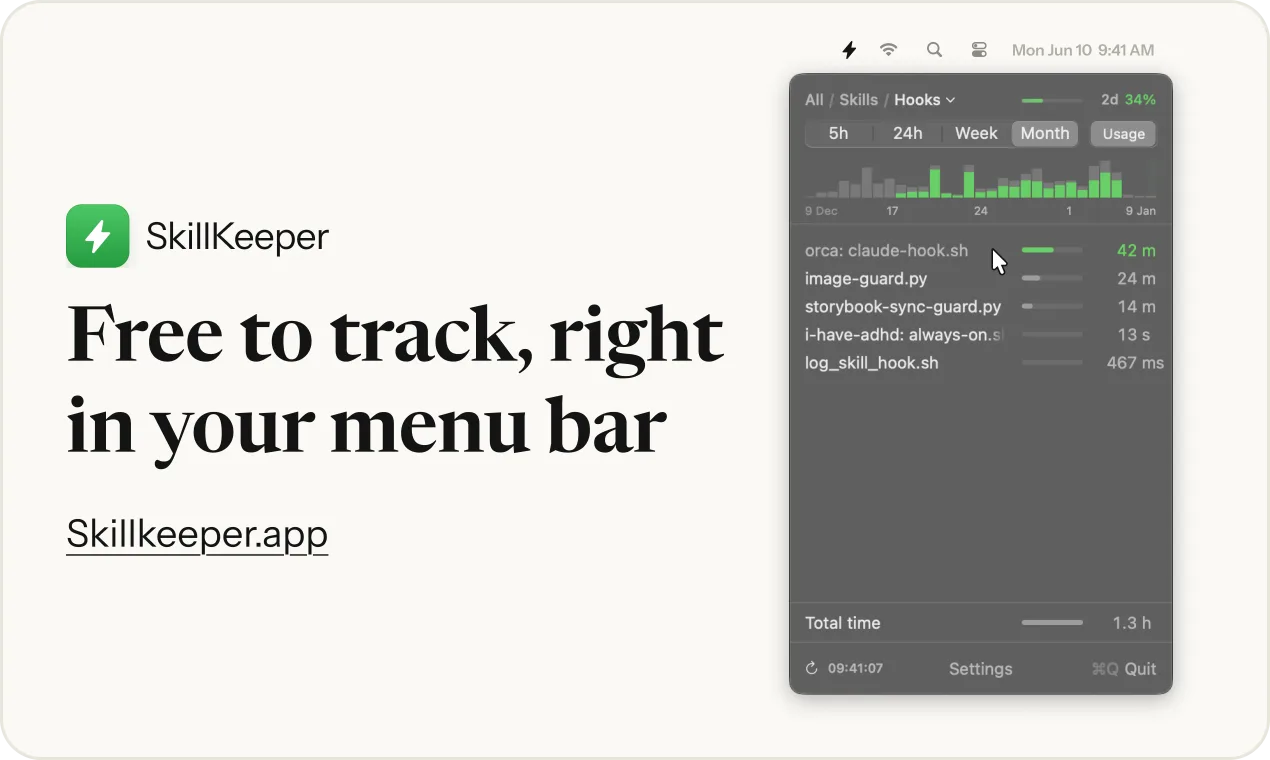
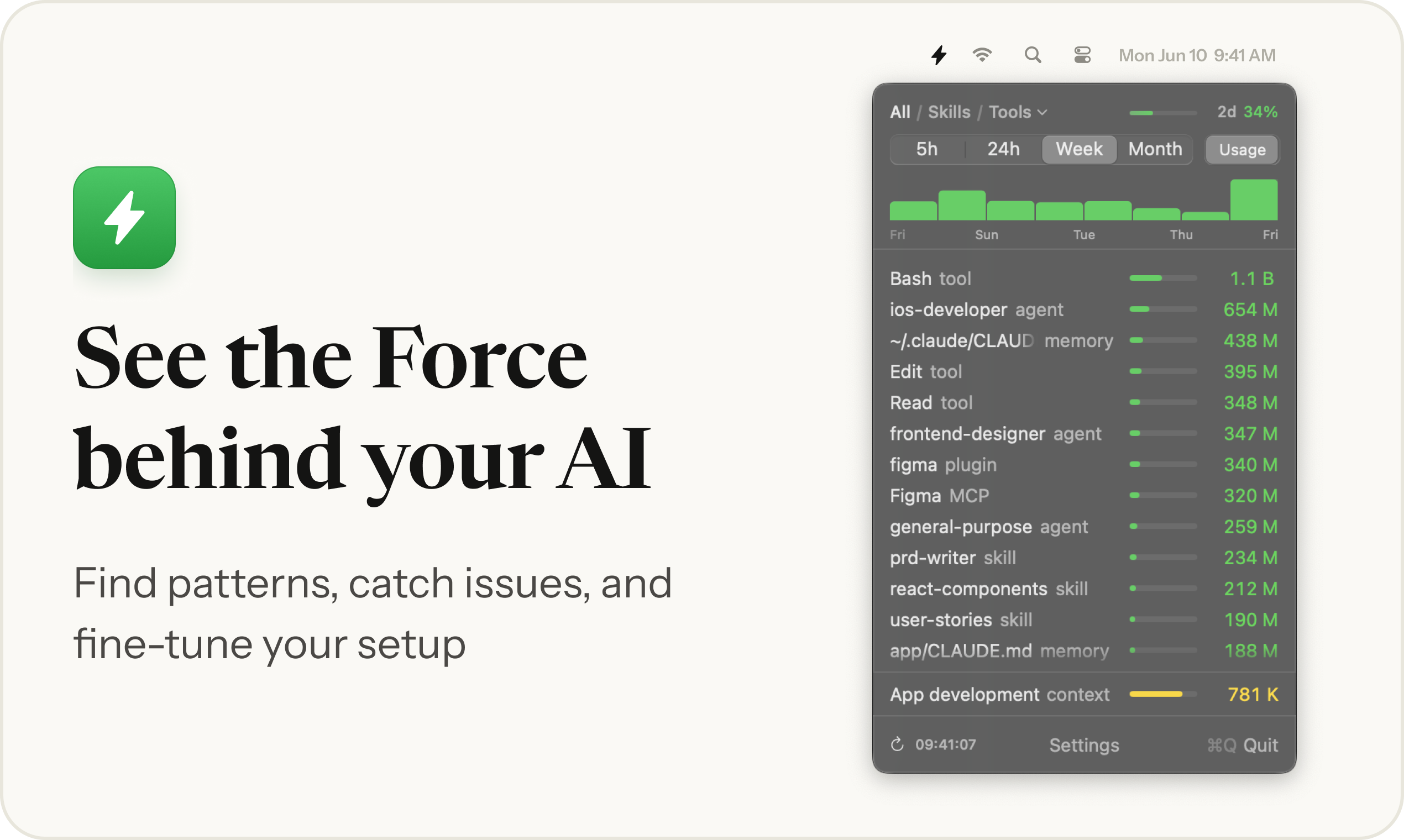
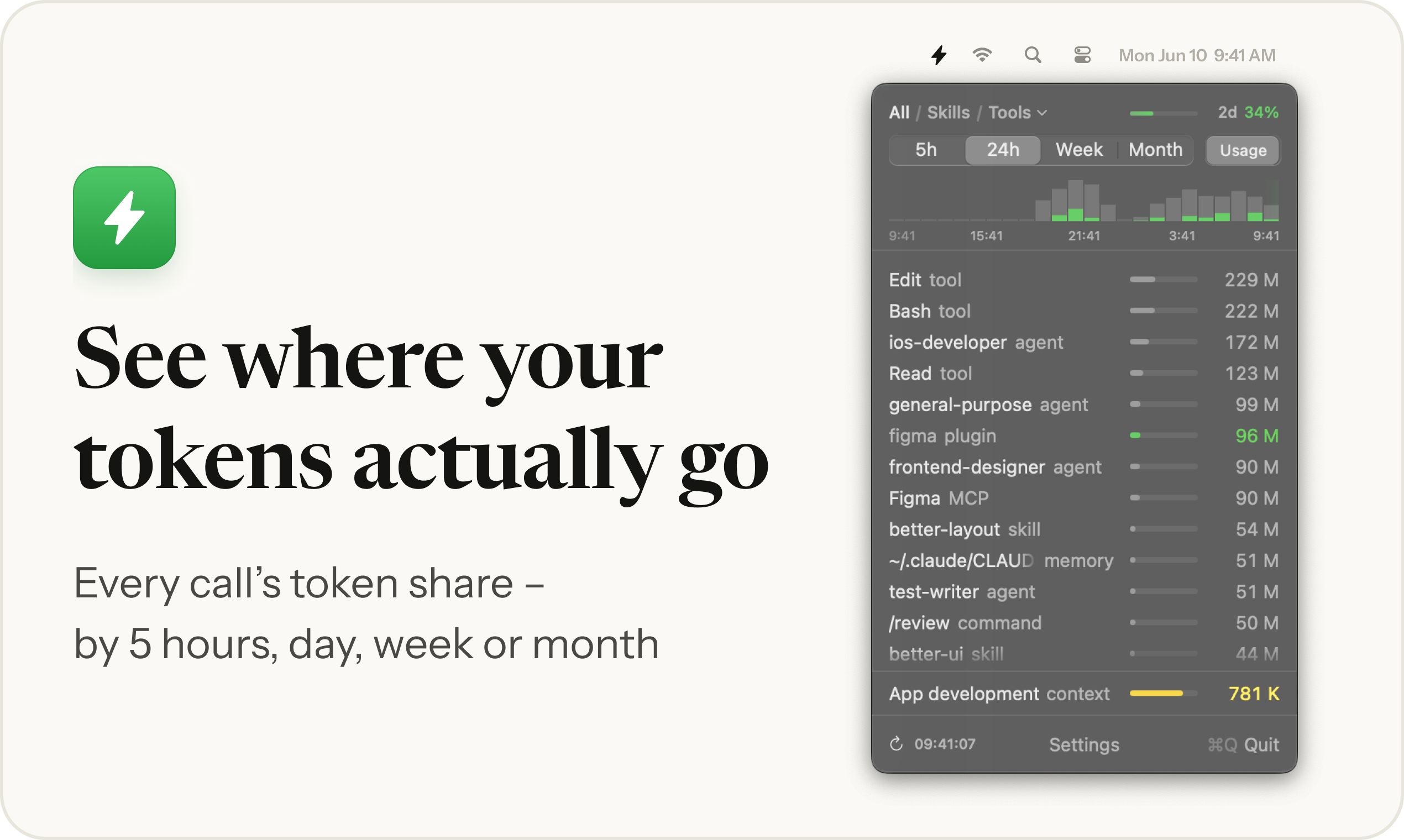
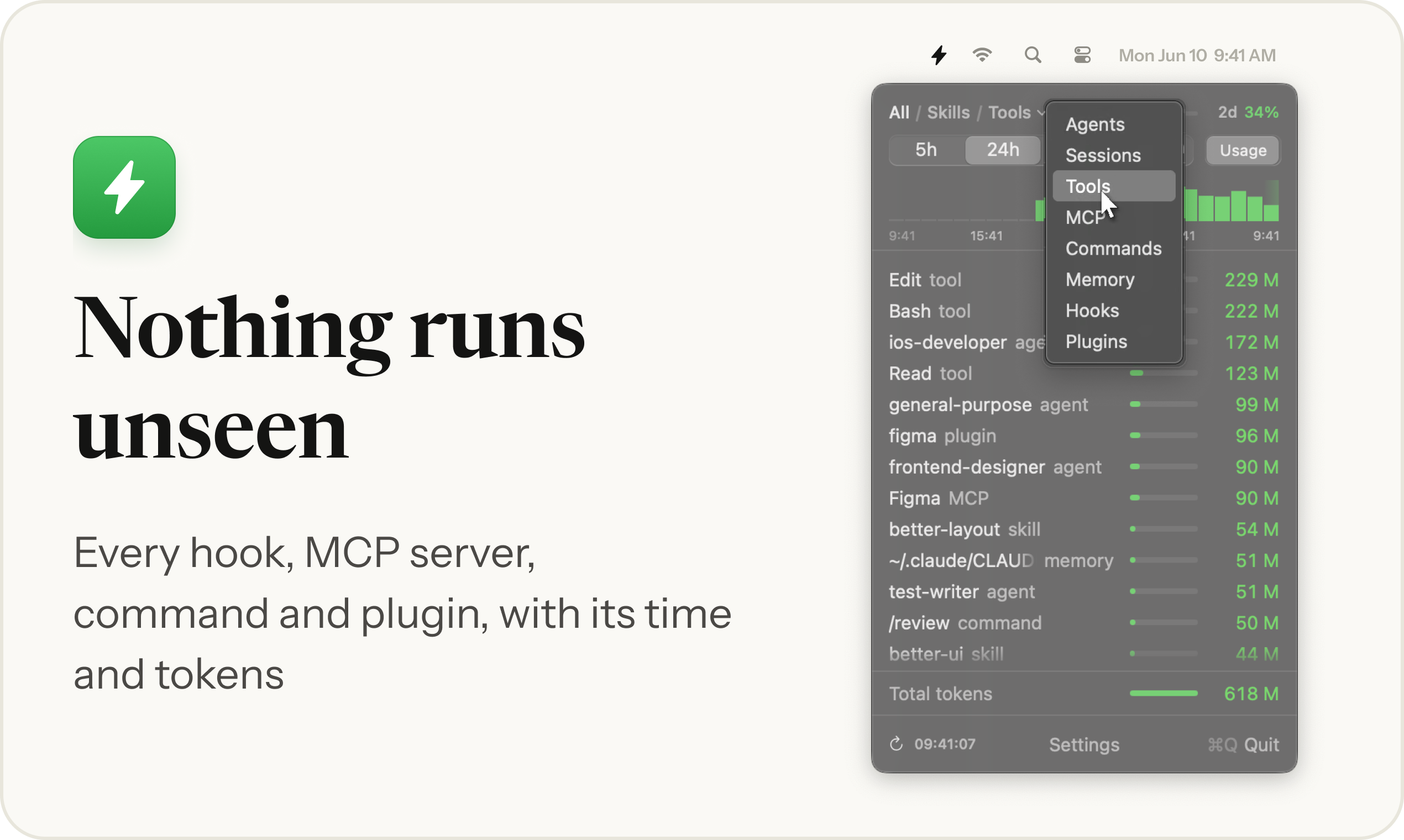
A macOS menu bar app, and a Claude Code mod for Windows, Linux and Mac, that shows what your AI coding setup actually runs. It reads local session logs and breaks usage down by skill, agent, tool, MCP server, command, memory file, hook and plugin – how often each one ran and how many tokens it spent. Everything is read on your computer and never uploaded
Fact sheet
- Developer
- Kirill Bush, inBuro (independent)
- Platform
- macOS 13+ menu bar app; Windows, Linux, Mac – Claude Code mod
- Works with
- Claude CodeCodex CLIGemini CLICursor
- Current version
- 2.07, October 2026
- First release
- 1.0, August 2026
- Price
- Every feature free for 3 days, then the last 5 and 24 hours stay free; $19 one-time license, one key for the app and the mod
- Distribution
- App: direct download, signed and notarized by Apple. Mod: Claude Code plugin marketplace inBuro/skillkeeper-releases
- Privacy
- Reads local files only, no account, nothing uploaded
- Website
- skillkeeper.app
- Release notes
- skillkeeper.app/updates
- Press contact
- hello@skillkeeper.app
New in 2.07
- The free trial is now 3 days of use, 7 calendar days at most. Week and Month, editing and the other actions need a license after that
- Custom types is now called Custom Data Types, in Settings and in its window
What it does
Every skill, agent, tool, MCP server, command, memory file and plugin with its share of tokens – by 5 hours, day, week or month
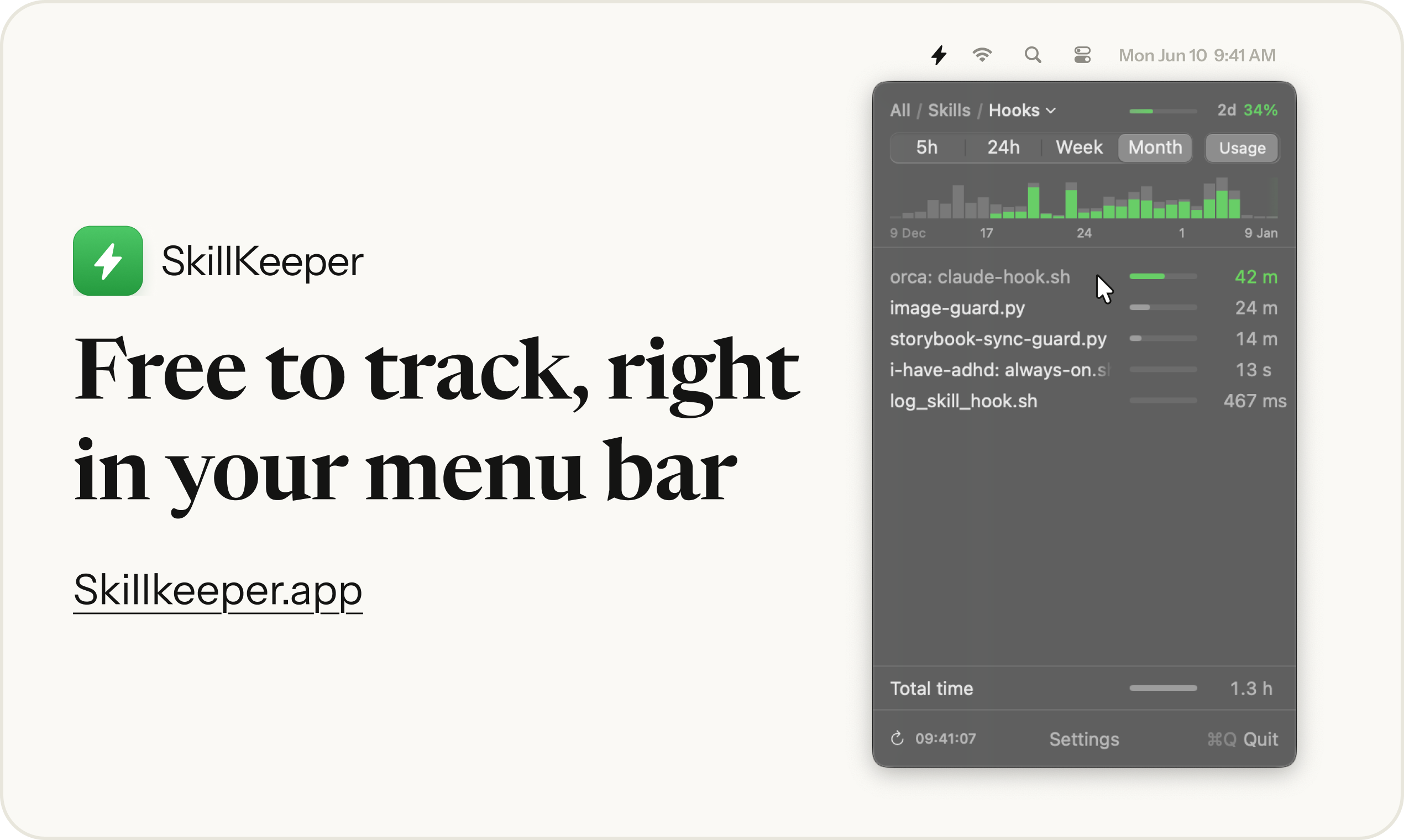
Hooks with the time they add to your work, MCP servers and plugins with what they cost
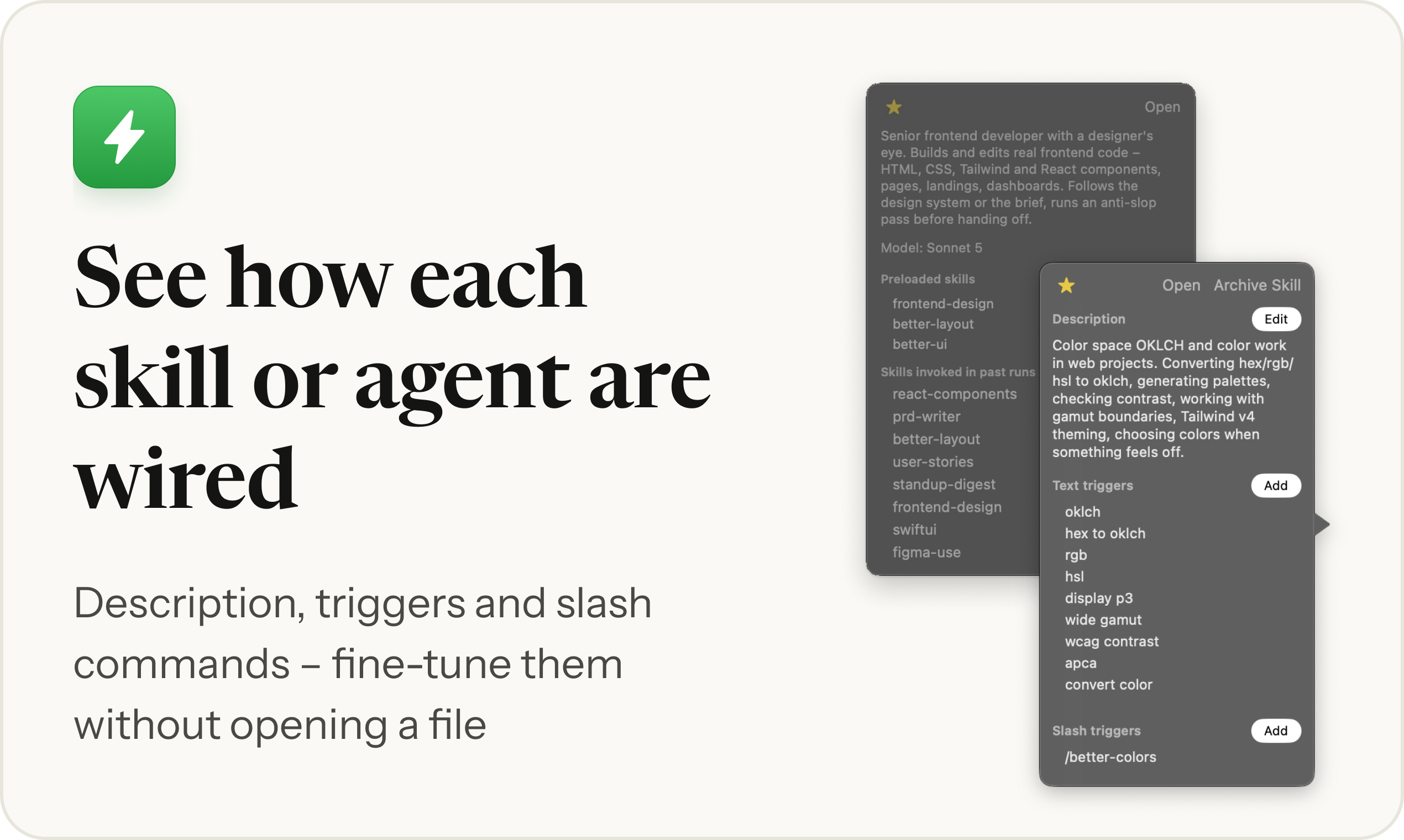
Agents show the skills they call inside, so the setup reads as it actually runs
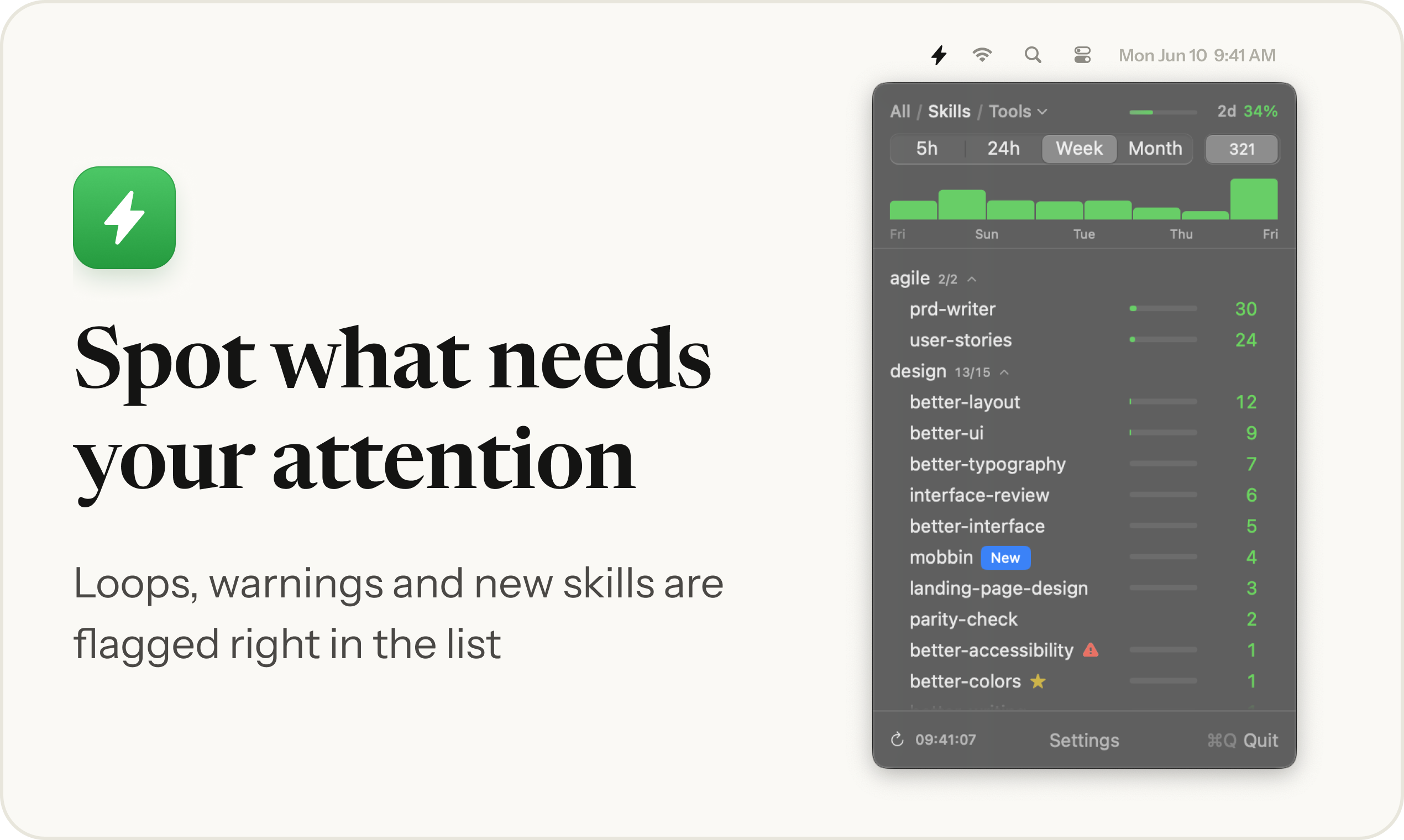
Loops, clashing triggers, new skills and skills that never fire are flagged right in the list
Edit a skill’s description and triggers from the menu bar, without opening a file
Clips and screenshots
2540 × 1520, version 1.7 interface. MP4 clips are silent, 9–16 seconds



Why it exists
“My skills folder kept growing, and at some point I realized I couldn’t tell whether a given skill ever fired – or what any of it cost. Nothing showed which skills get called, how often, or how many tokens they take. So I built SkillKeeper to find out”
1.0 shipped in August 2026 and counted skill runs for Claude Code. By 2.07 it tracks everything a session loads and works with Codex, Cursor, Gemini CLI too. Every version is on the Updates page
Contact
Kirill Bush, hello@skillkeeper.app. A full license key for review is available on request