Claude Code usage monitor for Windows and Linux
On this page
On Windows and Linux, /usage and /context work out of the box, and npx ccusage@latest prints tokens per day. For a per-skill breakdown inside the session, install the SkillKeeper mod with /plugin marketplace add inBuro/skillkeeper-releases, then /plugin install skillkeeper@skillkeeper.
Most Claude Code usage monitors were built for one platform, and the menu bar ones only run on a Mac. On Windows and Linux you still have good options. They answer different questions: how much you used, how close you are to the limit, or what exactly took the tokens.
This post compares them, then shows how to put a per-skill breakdown inside Claude Code itself.
Built into Claude Code: /usage and /context
Both commands work the same on Windows, Linux and macOS.
/usageshows session cost, tokens by model and your plan's usage bars, and attributes usage to skills, subagents, MCP servers and loops. Pressdorwto switch between 24 hours and 7 days./costand/statsopen the same screen (commands)./contextdraws what fills the context window right now, memory files and MCP tools included.
Best for: a quick check without installing anything.
Worth knowing: both are screens you open on demand. Nothing stays in view while you work.
ccusage
ccusage is a command-line report built from your local logs: daily, weekly, monthly, by session and by 5-hour block. It runs on Node or Bun, so npx ccusage@latest works on Windows, Linux and macOS, and it also reads the logs of Codex, Gemini CLI and other agents.
Best for: totals per day or month, and exporting them.
Worth knowing: it reports tokens and cost per period and session, not which skill or MCP server spent them.
Claude-Code-Usage-Monitor
Claude-Code-Usage-Monitor is a live terminal dashboard in Python: burn rate, time until the limit and a prediction for the current window. Install it with uv tool install claude-monitor or pipx; the README has Windows steps.
Best for: watching the 5-hour window run down in a second terminal.
Worth knowing: its plan limits are the project's own estimates, not numbers from Anthropic.
Status line tools
A status line keeps a number under the prompt at all times: context used, session cost, and for Pro and Max the 5-hour and weekly usage. ccstatusline and claude-powerline are ready-made ones. On Windows the status line command runs through Git Bash or PowerShell.
Best for: one or two numbers always in view.
Worth knowing: a status line has one line. It shows totals, not a breakdown.
SkillKeeper as a Claude Code mod
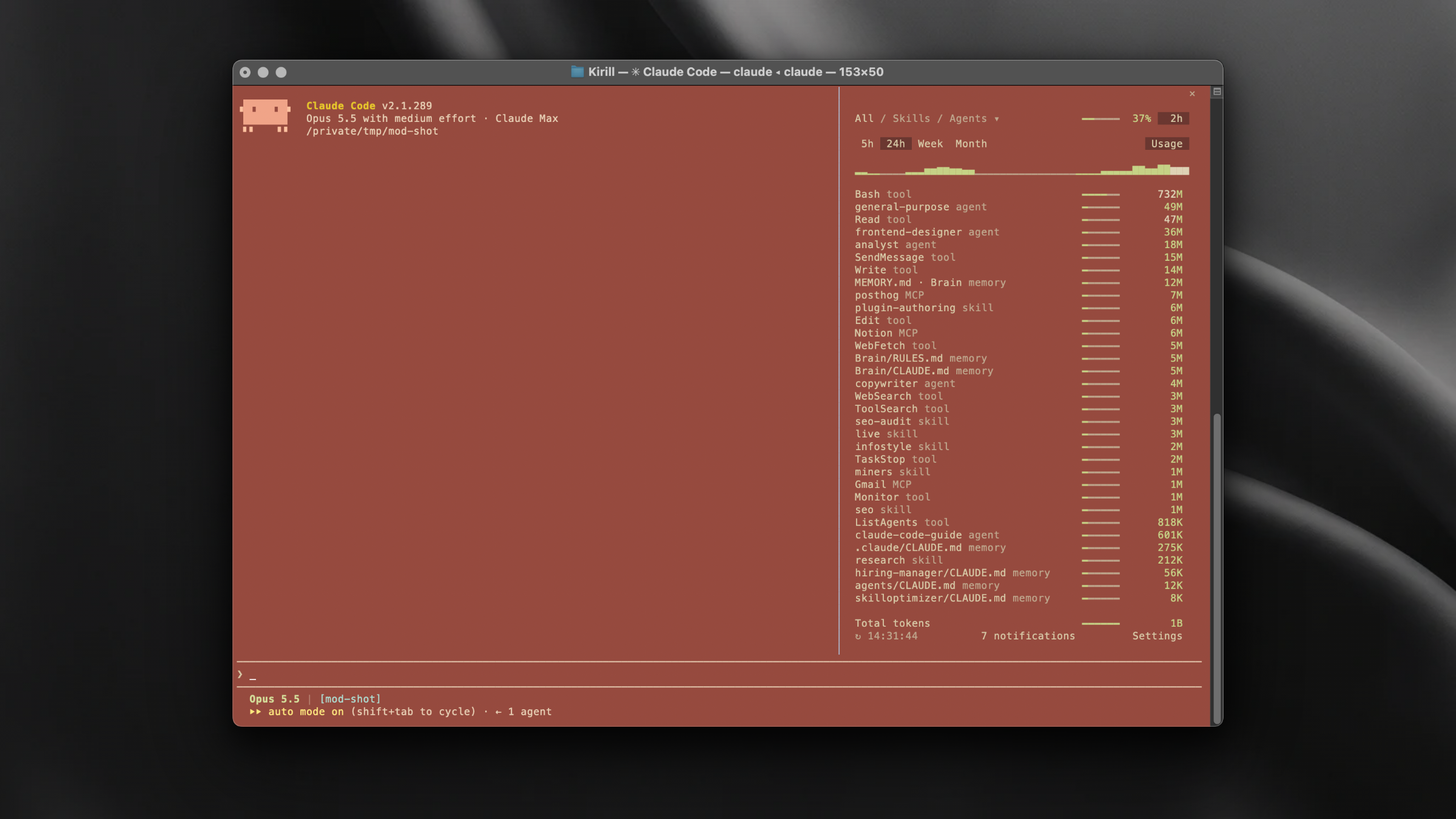
SkillKeeper started as a macOS menu bar app. On Windows and Linux it runs as a mod inside Claude Code: type /skillkeeper and a panel opens over your session.
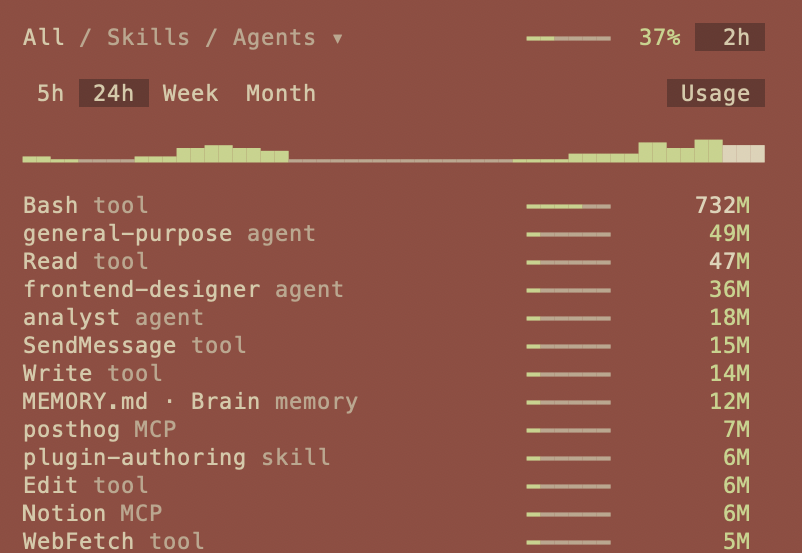
/skillkeeper panel in a real session: every source of tokens in one list, sorted by cost.The panel shows:
- Which skills fire and which never do, with a count for each over 5 hours, 24 hours, a week or a month.
- Where the tokens went, by skill, agent, tool, MCP server, slash command, memory file and plugin, sorted by cost. Hooks are listed by the time they take.
- When to compact. A line above the prompt says when this chat should run
/compact, and Compact now runs it in the same session. - Limits about to run out and skills Claude may skip, behind the 🔔 in the footer.
It reads the same local history as the tools above, ~/.claude/projects (on Windows %USERPROFILE%\.claude\projects). Nothing from your transcripts leaves the machine.
How to install it
In Claude Code:
/plugin marketplace add inBuro/skillkeeper-releases
/plugin install skillkeeper@skillkeeper
Then run /skillkeeper. The mod needs Claude Code v2.1.287 or later, where mods are on by default. Every feature is free for 3 days, and one license key works for the mod and the Mac app.
Best for: seeing what took the tokens without leaving the session.
Worth knowing: the mod covers Claude Code only. On a Mac the SkillKeeper app also tracks Codex, Cursor and Gemini CLI.
Which one to use
| You want | Use | Windows | Linux |
|---|---|---|---|
| Your official limit and reset time | /usage |
yes | yes |
| What fills the context right now | /context |
yes | yes |
| Tokens per day or month | ccusage | yes | yes |
| A live countdown of the 5-hour window | Claude-Code-Usage-Monitor | yes | yes |
| One number always in view | Status line | yes | yes |
| Tokens by skill, agent, MCP server and memory file, inside the session | SkillKeeper mod | yes | yes |
They combine well: a status line for context size, the mod for the breakdown, /usage for the official limit.
Frequently asked questions
Does Claude Code track token usage on Windows?
Yes. /usage and /context work on native Windows and in WSL. Claude Code keeps session logs in %USERPROFILE%\.claude\projects, which tools like ccusage and the SkillKeeper mod read.
Where are Claude Code logs on Linux?
In ~/.claude/projects/<project>/, one .jsonl file per session. CLAUDE_CONFIG_DIR moves the whole folder. Claude Code deletes transcripts after 30 days by default (cleanupPeriodDays).
Is there a menu bar usage monitor for Windows?
Menu bar monitors like the SkillKeeper app are macOS only. On Windows the closest equivalent is a panel inside Claude Code itself, such as the SkillKeeper mod, or a status line that keeps a number under the prompt.
Does it work in WSL?
Yes, as long as Claude Code runs inside the WSL distribution. Install the mod from a Claude Code session there; it reads the logs in that distribution's home folder.
Do these tools send my code anywhere?
ccusage, Claude-Code-Usage-Monitor and the SkillKeeper mod read local files. The mod sends anonymous counts such as "panel opened", never skill names or file contents, and you can switch that off in /plugin → SkillKeeper → Configure options.
Related
- How to check Claude Code token usage – five ways to measure, on any platform
- Why Claude Code hooks are slow, and how to find which one
- How much context CLAUDE.md and memory files take